Get through the day in blocks.
Ribbon is a focus timer that works from the lists you already keep. Your reminders and your calendar show up as boards; pick something, and a ring fills while you work. A bell when it's time to stop, a break, then the next thing.
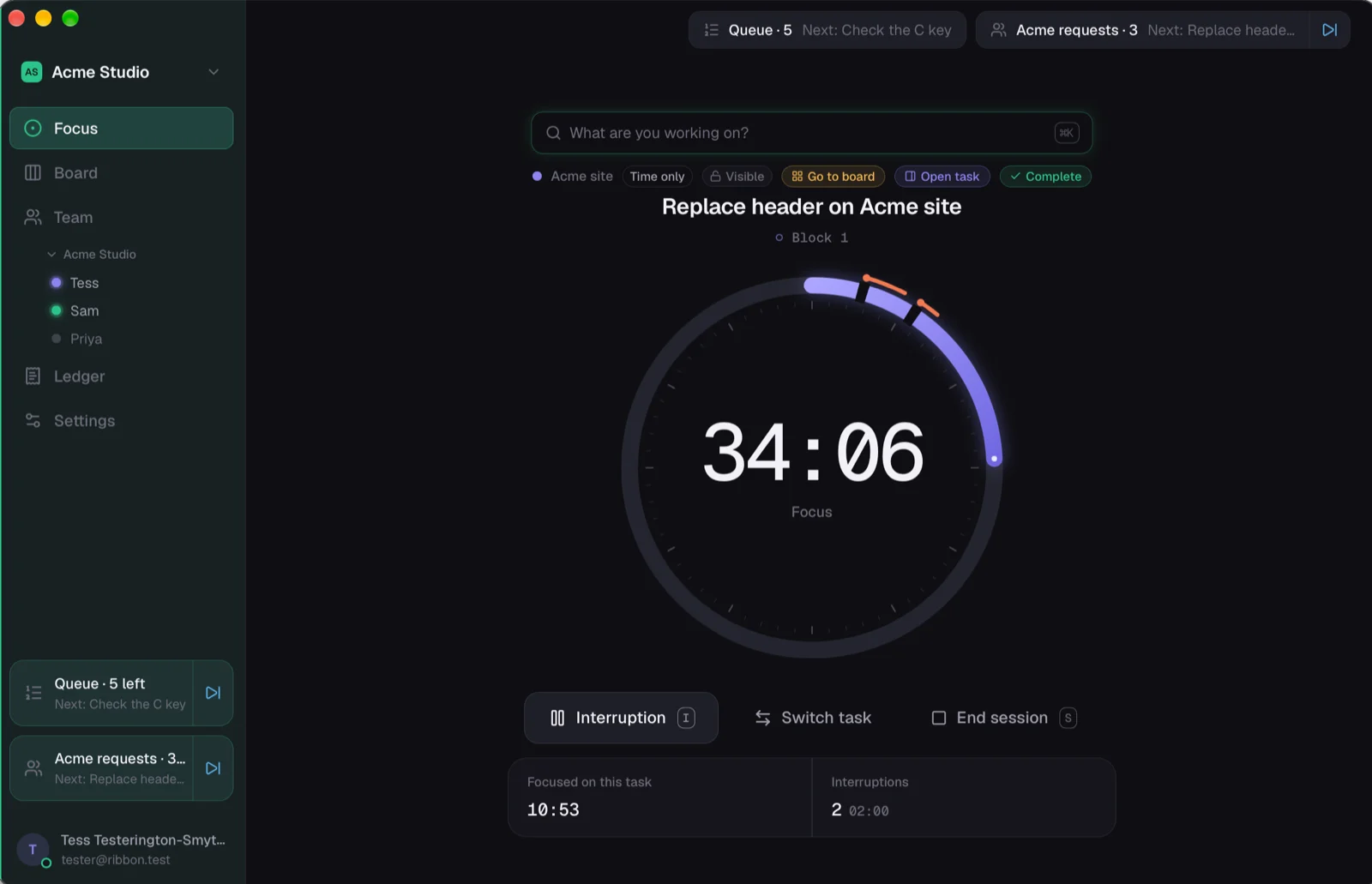
Type what you're doing. Press Enter. That's the start.
"What are you working on?" is the whole interface. Type a task, or pick one, and the block starts.
Pick the next thing
Your Reminders lists and today's calendar are on the Focus screen. Start an event and the timer runs to its end. Start a reminder and it ticks off in Reminders when you're done.
Block, notch, break
The ring fills for the length you chose. Pulled away? One tap and a reason, and it's a notch on the ring, so you can see where the day really went. The bell rings, the break starts.
The day, counted
How long you focused, what interrupted you most, and which blocks you finished against the ones you stopped early. A week at a time, with last week beside it.
Your lists stay where they are. They just get a timer.
On the Mac, Ribbon reads Reminders, Calendar and Notes with your permission. Nothing moves out of them, and ticking something off in either place ticks it in the other.
Want your work on your calendar? Cards with a time can go on a calendar you choose, a linked Google one included, and move when the card does.
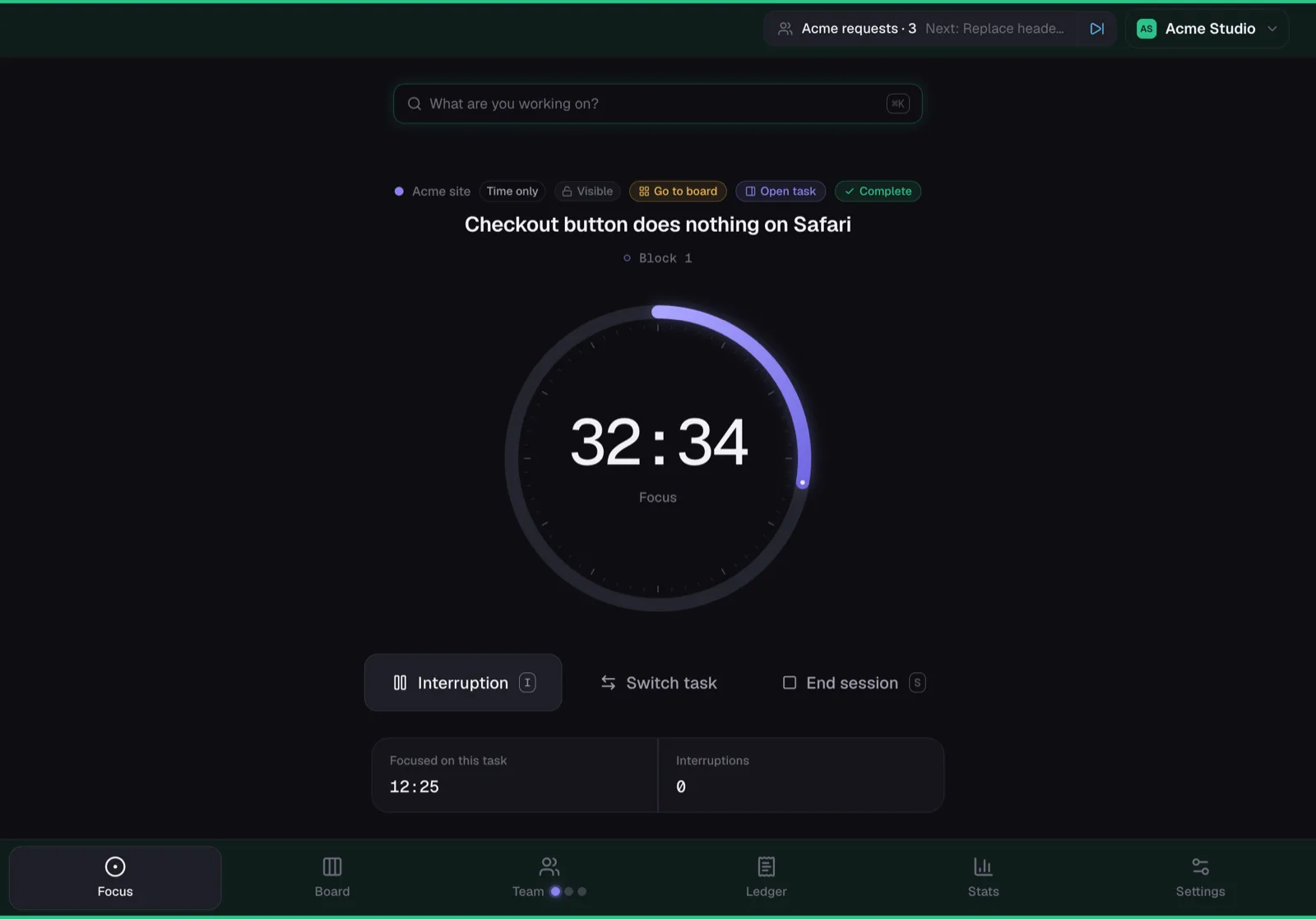
Your iPad as the timer.
Put the iPad beside the Mac in Sidecar and Ribbon becomes a touch timer: big buttons for an interruption, a switch or the end of a block, while the Mac keeps the screen for your work.
On the iPhone, and its Lock Screen.
The timer, your boards and the day's figures on the phone, with the running block on the Lock Screen.
Life admin and work, kept apart.
Separate spaces for home and work, so the bins and the client call never share a list unless you want them to.
Pomodoro, or not.
Blocks and breaks if they help. Switch them off and Ribbon is an open timer that just counts; a time you mention becomes an allowance. A break is still a word away.
Free. Plus if you want your Apple apps in it.
The timer, unlimited tasks and a few boards are free. Plus, planned at about £5 a month, adds Apple sync on the Mac, more boards and full history. Not live yet, and during early access everything is free.
Ask for a seat. We'll send you the links.
Leave your email, and you'll get a sign-in, the Mac download and the iPhone link, usually the same day.