Know what every block was worth.
Ribbon is a timer that works from your clients' own tasks, in ClickUp, Trello, GitHub or wherever they keep them. Start a block on a card, work, and it ends as a receipt. The time goes back where the task lives, and the receipt becomes an invoice line when you're ready.
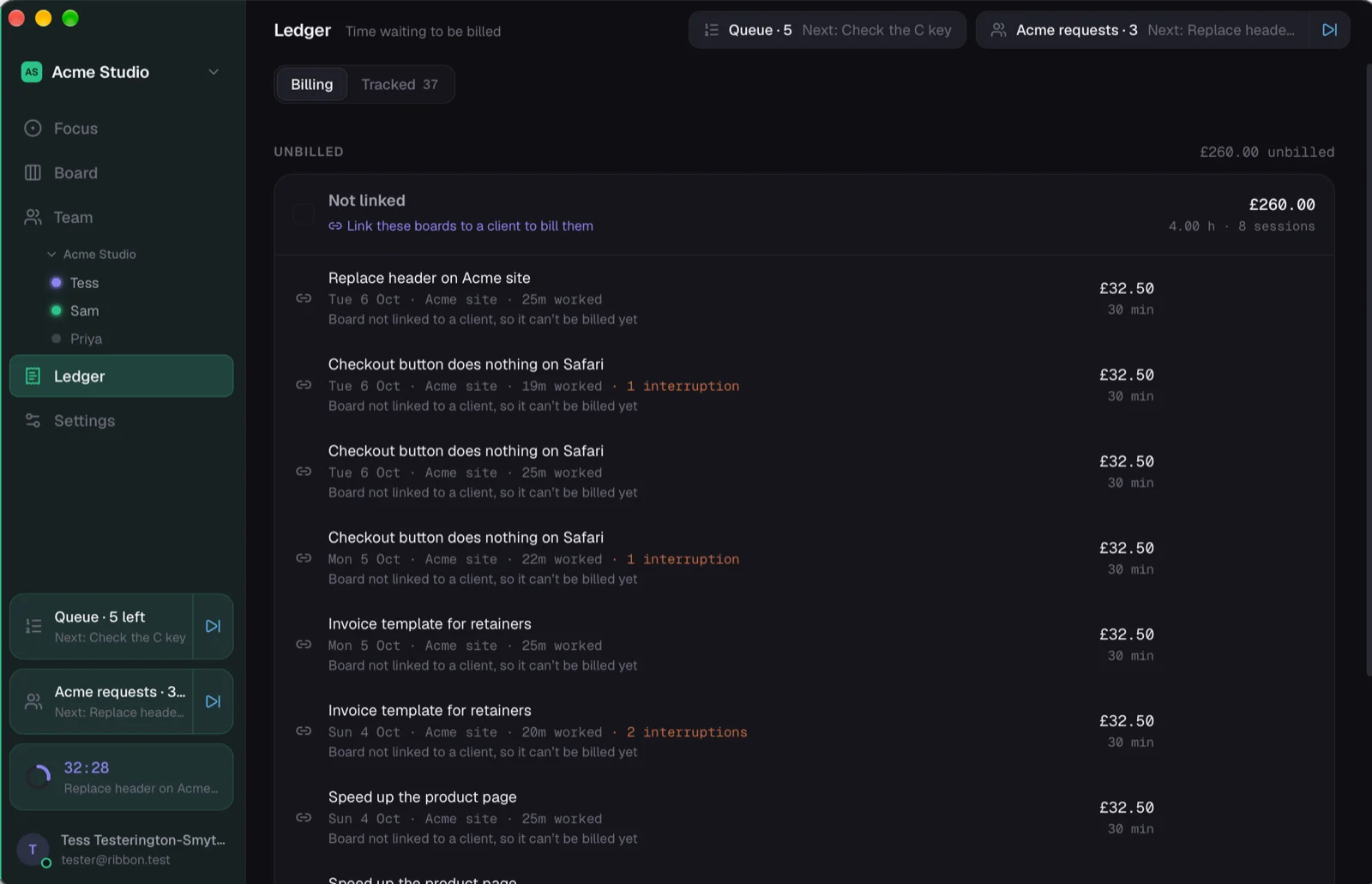
Pick a card. Work. The invoice writes itself, mostly.
No timesheet on a Friday afternoon, trying to remember what Tuesday was.
Morning: line up the day
Your clients' boards are in Ribbon as they are in ClickUp or Trello. Drop a few cards into your queue, or type what you're doing and press Enter. The first block starts on the first card.
Working: one block at a time
The ring fills while you work. The client rings, a quick question comes in: one tap, a reason, and it's a notch on the ring, kept apart from the billable time. Next takes the next card, with the last one filed.
Evening: the receipts are waiting
Every block is a receipt in the Ledger, on the client's board, with what it's worth. Time you were away from the keyboard is flagged and asks before it counts. Make the week billable in one go.
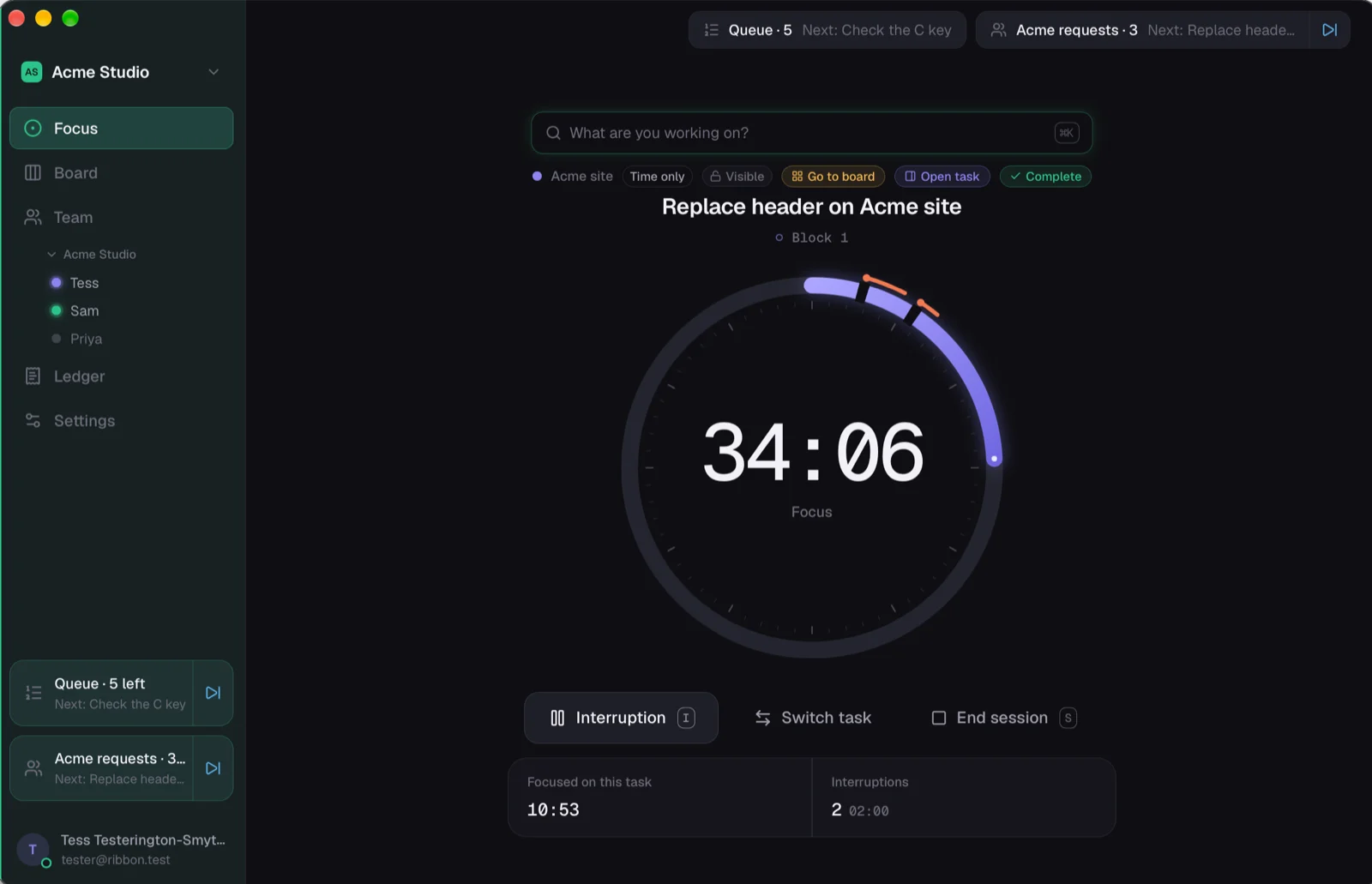
Blocks with breaks, or just a clock.
Pomodoro blocks with breaks between them if that's how you work, an allowance for a task you quoted, or an open timer that just counts. Switch task mid-block and the time is split where you switched.
The timer is on the Mac, on the iPhone's Lock Screen while it runs, and on a BUSY Bar on your desk if you have one.
Time first. Money only where it belongs.
A board shows money only when it bills a client. Your own admin stays plain time, and nobody's hourly rate is guessed at.
On a billing board, Convert to money turns receipts into draft invoice lines in your invoicing tool, and you review and send them there, the way you already do. Amend a line and the record of the change stays.
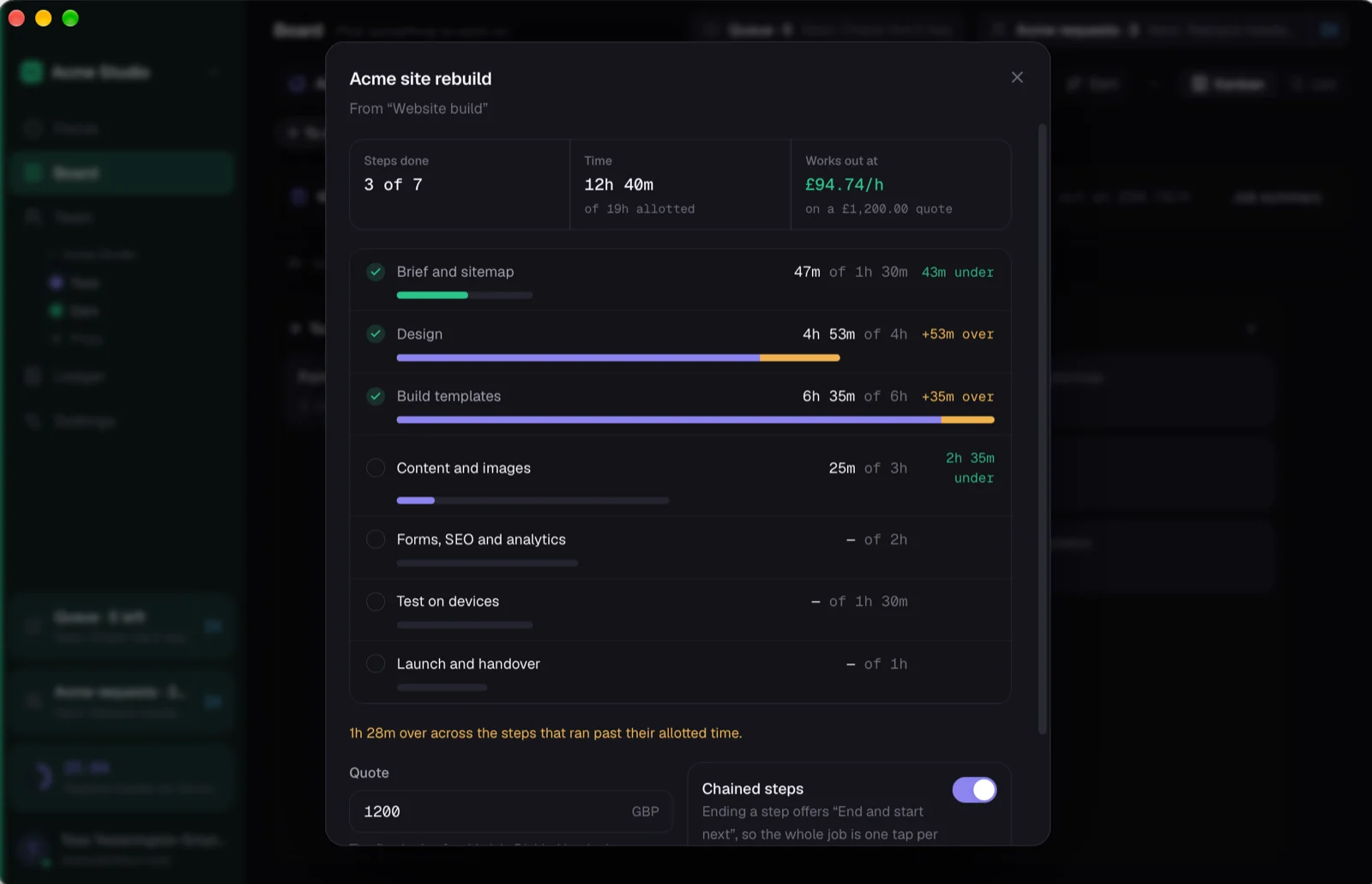
Fixed price? See what it really paid.
Make a job from a preset ("Website build", "Server migration"), give each step its allotted time and the job its quote. Allotted against actual on every step, and what the quote works out at an hour. The number that changes next month's quotes.
The time goes back where the task lives.
On ClickUp, each block is written to the task as a time entry as you go, so the client sees the hours in their own tool. No copying across at the end of the month.
Invoices drafted, never sent for you.
Stripe Invoicing, Invoice Ninja and Paymenter today; Xero, QuickBooks and FreeAgent planned. Ribbon writes the draft lines and stops.
Stats that point at something.
Your week a day at a time, by client board, the interruptions that cost most, and the cards costing more than they should, each one a sentence with a way to deal with it.
Every client in their own tool. One timer across all of them.
Sign in to ClickUp, Trello, GitHub or Missive and each client's lists show up as boards. A plain Ribbon board takes ten seconds for the ones who don't have a tool.
Free while it's early. Plus or Pro after.
The timer is free. Billing is what you pay for: Plus at about £5 a month with one billing connector, Pro at about £9 with all of them and job profitability. Not live yet, and the numbers may move before launch.
Ask for a seat. We'll send you the links.
Leave your email and how you work, and you'll get a sign-in, the Mac download and the iPhone link, usually the same day.